Interstate '76 Downloads
Local Ditch > Interstate '76 > Downloads
I '76 Arsenal XP Fix (5.5 MB) - Removes the click sound from the I '76 shell that prevents Windows XP from launching the game. Download this file and extract it to the I '76 install directory, usually C:\Program Files\Activision\Interstate76. It will replace the existing DATABASE.MW2 file.
I '76 Desktop Theme (630 KB) - Desktop theme for Windows 95/98 with the Plus! package.
Interstate '76 Wallpapers - Original wallpapers from Activision's I '76 page. Each pack contains wallpapers in 640x480, 800x600 and 1024x768 resolutions.
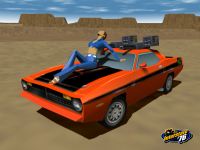

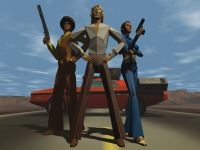
Early logo, Jade, Fire, and Trio Wallpapers
I '76 Soundtrack - Listen to some funky tunes from the original Interstate '76.
Music for ogg-winmm - Using ogg-winmm for compatibility issues? Extract this zip into your Interstate '76 folder.
I '76 Map Images (845 KB) - Grab a printable terrain map of every level in the game extracted from the game files themselves. Especially useful for maze levels in the trip and when no map is provided in-game. Thanks to Kalle Siukola for the contribution.
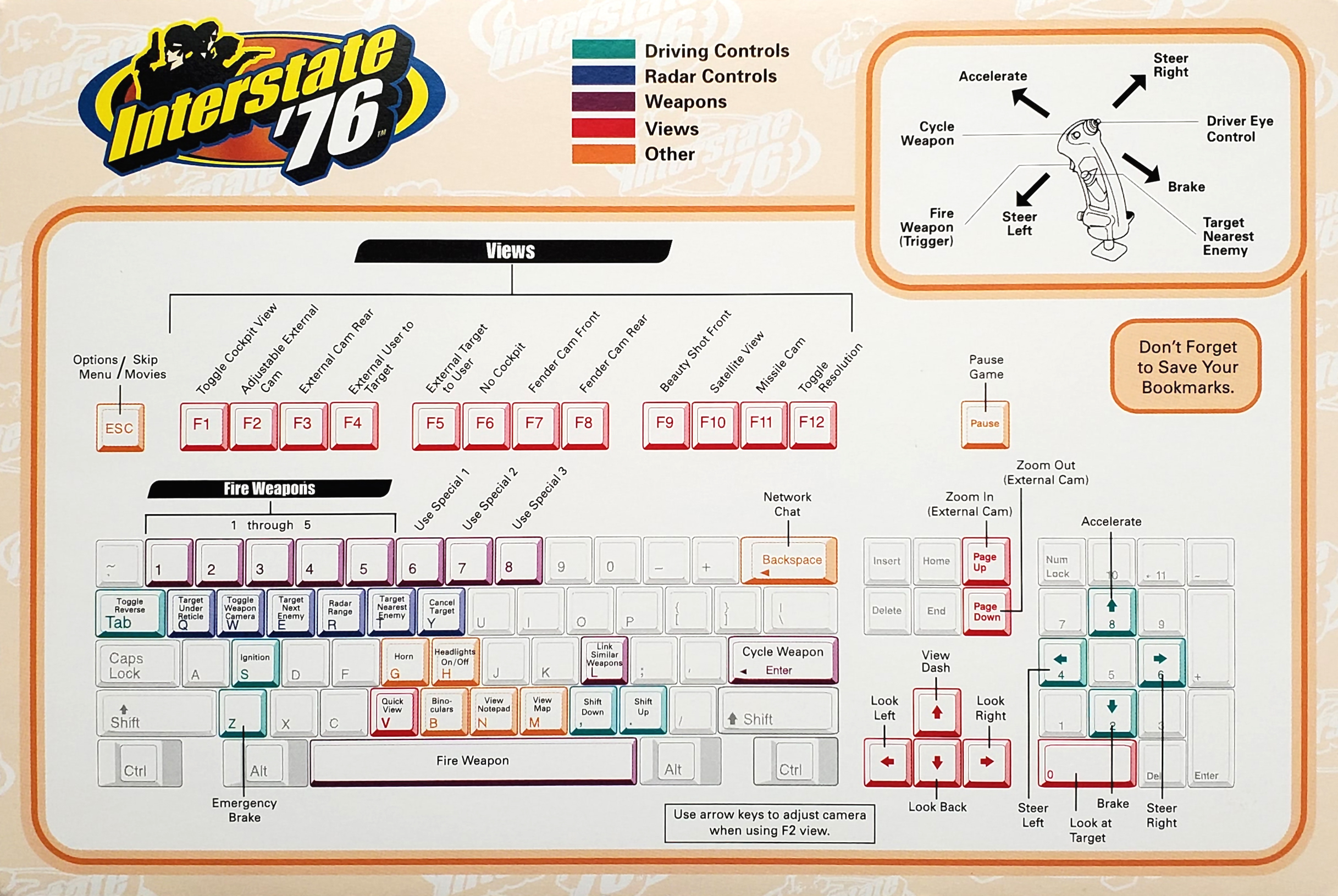
Interstate '76 Key Cards - Having trouble figuring out what button does what? Look no further for the answer. Below are the keycards to the original I '76 and to the I '76 Arsenal. There's not much difference between the two, so choose whichever one looks prettier. Or, if you're an Interstate historian, take them both. Just click on the thumbnail to download the full size card. (Larger versions of 1 and 2 scanned and scaled by yours truly while 3 and 4 are courtesy of the Internet Archive.)

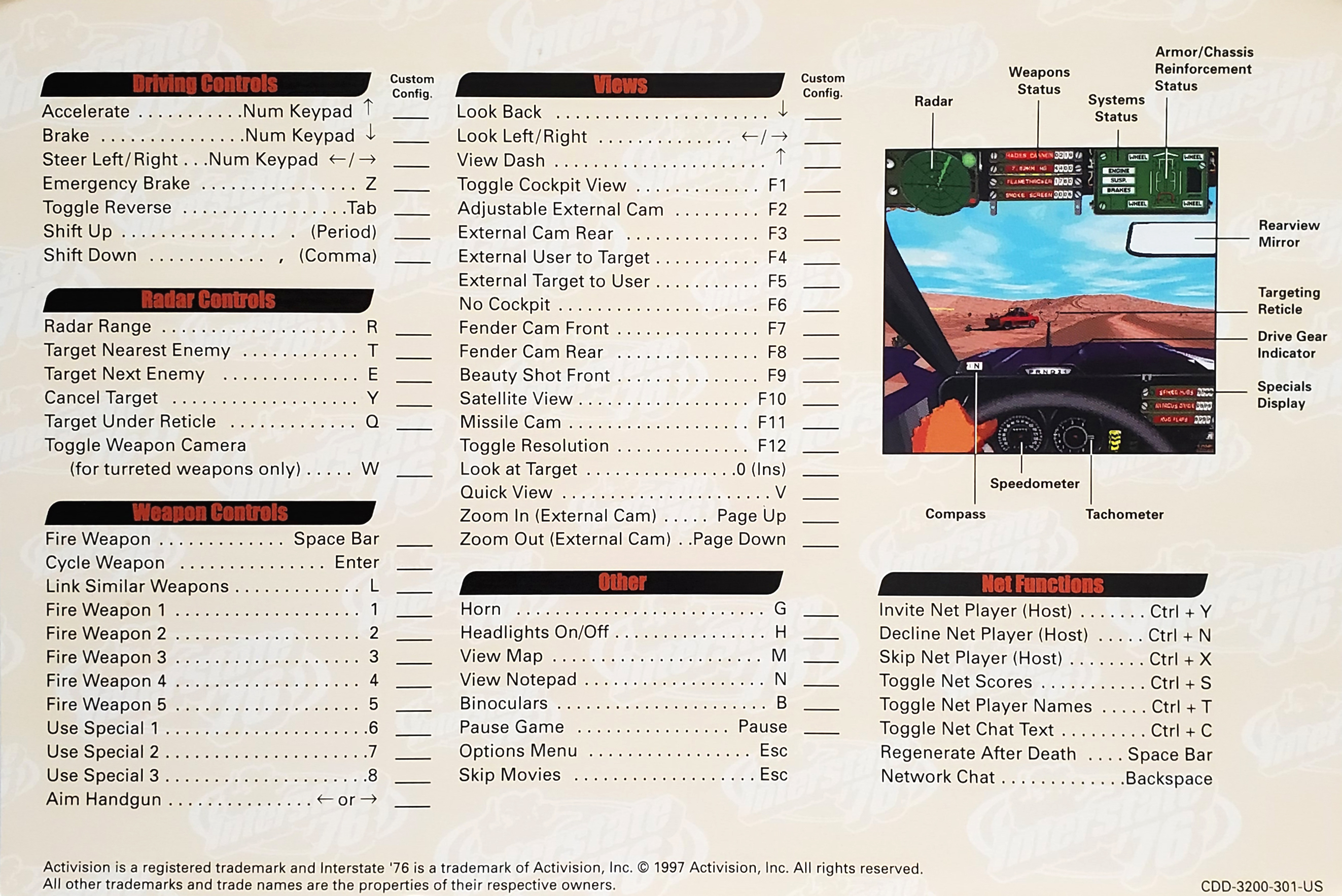
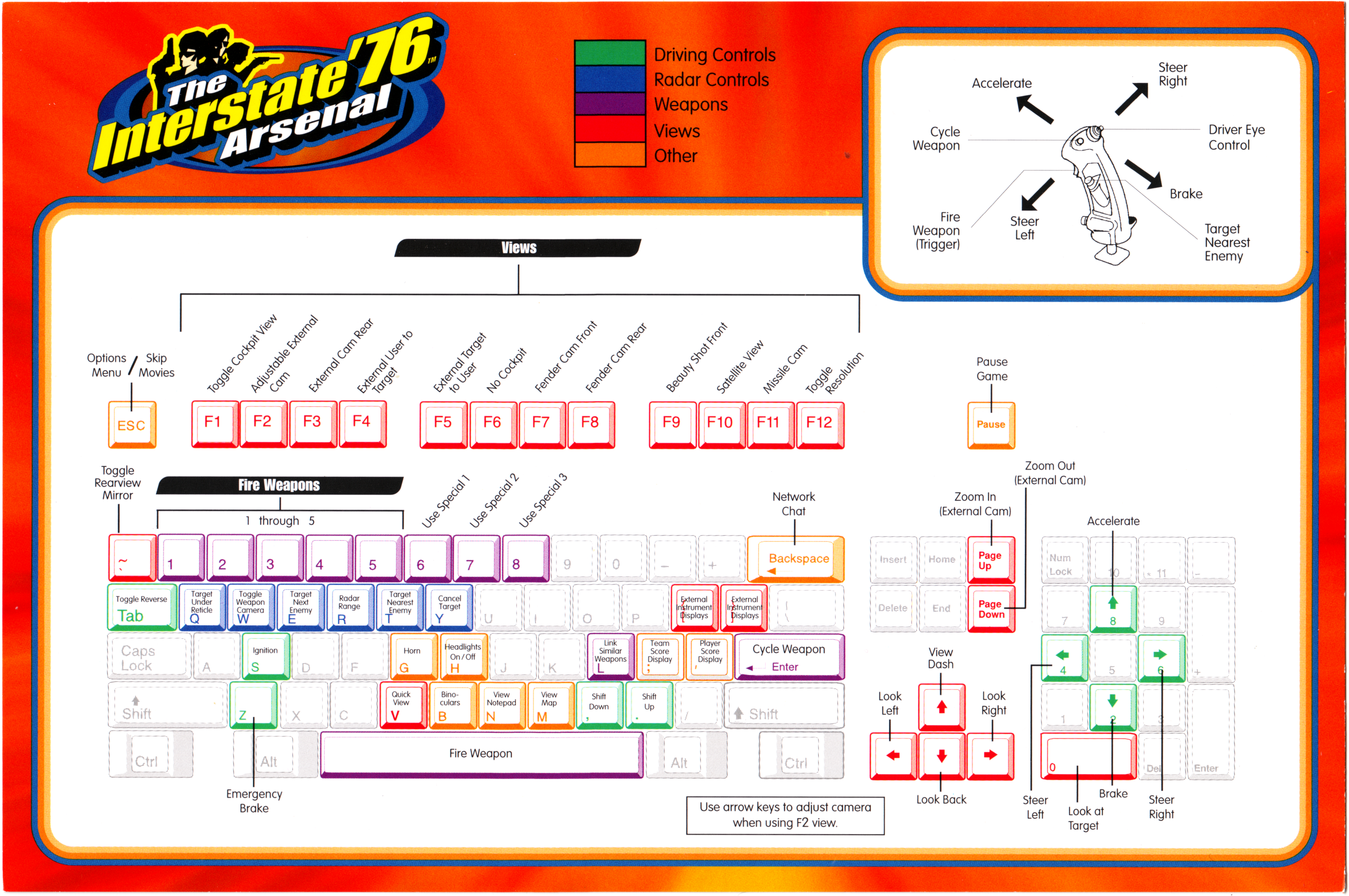
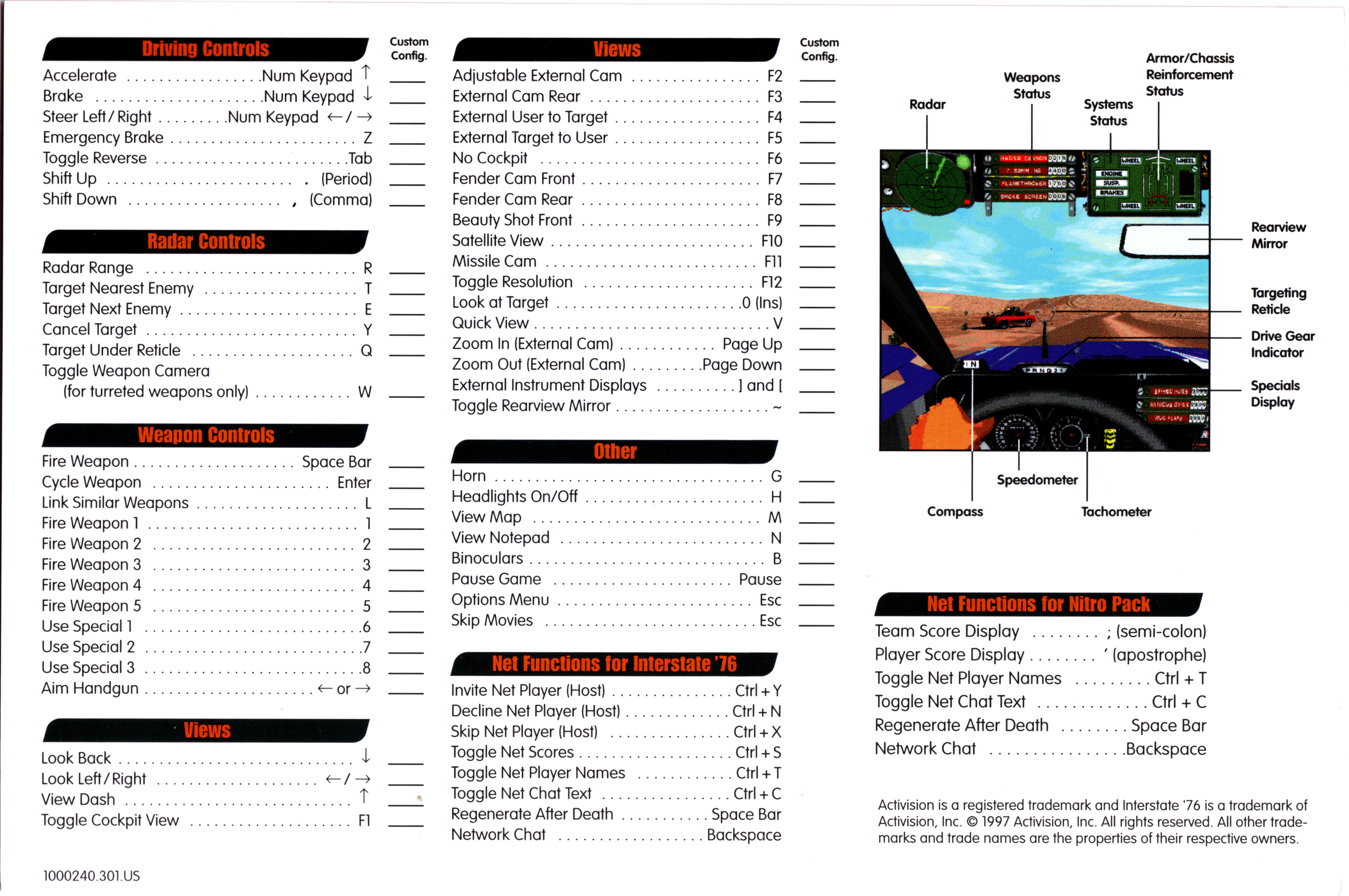
Interstate '76 Game Manual - Lost your game manual? Click the cover below for a PDF of the Interstate '76 Arsenal Manual. PDF mirrored here. Original is courtesy of the Internet Archive.)
SMK Player - This will let you view all of the I '76 movies that are in the .SMK format. Just drag and drop the SMK onto this exe. The full SMK toolset is available at https://www.radgametools.com/.
Interstate '76 Preview (3.07 MB) - Pulled from the MW2: Mercenaries disc, here is a short preview of the game before its release. Funk will even the odds in this zipped AVI file.
AVA Utilities - AVA Car Designer, to help you build AVA cars for specific divisions, and AVA Hacker Tracker, to spot those hackers in the original I '76. [2026 note: You can get this one running, but it'll take some work. Use 7-zip to extract the executable's contents (it's a self-installing zip), then use otvdm to run the 16-bit executable. That being said, nostalgia is the only reason to run this as the hacker tracker won't (to my knowledge) work in modern multiplayer and the AVA has long been dead.]
Demo & Official Updates
Interstate '76 Demo (21 MB)
If you haven't played this, you've been living in a hole the size of Rhode Island since 1997. The demo requires DirectX 3a, but since DirectX 12 is out, I don't think you'll need to worry about that. If you know you've got an original I '76 disc laying around, can't bother to find it, and wonder if it'll run on your computer, you can try this first. Or, if you're really afraid of spending the $5 for this thing from GOG, try it here.
Be warned, this is I '76 before any patches arrived; you get a choice of two missions that run software mode and are as buggy as a fly party on modern machines. To get this thing running, download it and extract it to your folder of choice. Then, a bit of tweaking: Use dxwnd to cap the i76.exe framerate at 20fps. Drop in DDrawCompat (or another DDraw wrapper) to fix screen and shell issues. Set i76demo.exe to run in Windows 95 compatibility mode. Oh, and restart your friggin' computer! Need more details? Follow the pointers in the Install Guide & FAQ and pretend it's 1997. Or 1976. Whatever.
Interstate '76 Demo Movies (8 MB)
These are the movies to the demo. Highly recommended. I '76 has one hell of a story, with the acting and writing being great throughout.
Interstate '76 Gold Edition (v1.2) (70 MB software 85 MB hardware)
First question: Do you need this? This is to upgrade the CD-based versions of the original Interstate '76. GOG versions, Nitro Pack, The Interstate '76 Arsenal, and anything else that has "Gold" in the title already includes this update. This is the latest official release of the game. Most fan-made patches are based on this one, so if you have an old disc, you may need to upgrade first. The official notes from Activision are below:
If you have Interstate '76, this will upgrade it to the Gold Edition. Download all of the files for either the software or hardware edition, put them in the same folder, then run the exe.
This is a file that UPGRADES YOUR EXISTING VERSION OF INTERSTATE '76 with all of the I'76 GOLD EDITION enhancements. These are the exact same I'76 Gold Edition enhancements that are included in the Interstate '76 Arsenal and the Interstate '76 Nitro Pack. YOU MUST HAVE THE ORIGINAL INTERSTATE '76 GAME TO USE THIS DOWNLOADABLE FILE. This file is quite large as it contains several new files that include 16-bit art, new horizon maps, difficulty levels, hack prevention and 3D hardware support for all of the original I '76 missions. Please refer to the "Gold Edition" page on this site for a complete listing of the enhancements. There are two versions of the file — a software version and a 3D hardware version. Both are identical except that the hardware version includes the 3D acceleration enhancement and will take longer to download. A 3D accelerator card is required to use the hardware enhancement, although you can still download the hardware version and run the game in software mode. The 3D hardware version is 85 MB; software version is 70 MB.
Installing the Upgrade
To install the update, simply double-click on "Unpack16" after you have downloaded all of the files. You will need 100 MB of temporary free hard drive space to install the upgrade. This space is only required during the installation and will not be needed after the upgrade is complete. You must have all 5 files for a complete install. We recommend that you uninstall and reinstall the original Interstate '76 before you apply the downloaded upgrade. You may save your existing bookmarks by copying them to a temporary folder before uninstalling the game, then copying them back into the root of the game directory after you have upgraded. If you don't own Interstate '76 or don't want to download the upgrade file, you can still get the Interstate '76 Gold Edition at retail stores as part of the Interstate '76 Arsenal or from the Activision Online Store as part of the Interstate '76 Nitro Pack. You must download all five files for the complete upgrade to function properly.
(Note on the files below: These are the official files from Activision's site. The executable is a 16-bit installer and unlikely to work on modern systems. Because of that, I've unpacked the files and put them for download as a zip. Or, if you prefer to uncompress it yourself, the bin files are compressed in ARJ format which is easily uncompressed by 7zip. Skip the .exe, select all of the bins, extract them simultaneously, and you'll have the game patch.)
Download Hardware Edition:
i762arj0.bin
i762arj1.bin
i762arj2.bin
i762arj3.bin
unpack16.exe
Download Hardware Edition as a zip file.
Download Software Edition:
i762arj0.bin
i762arj1.bin
i762arj2.bin
i762arj3.bin
unpack8.exe
Download Software Edition as a zip file.
Interstate '76 Force Feedback Patch (v1.083)
This and others below are older patches for those who need them for reference or for historical purposes.
If you downloaded the Interstate '76 v.1.081 Beta Patch you lose all Force Feedback in the joystick. This patch is for all that already purchased the Microsoft Force Feedback Joystick and want to use the Interstate '76 v.1.081 Beta Patch with it.
What should I do before installing the patch?
You should run SCANDISK and DEFRAG on your hard drive before patching to improve game performance.
How do I install the patch?
The I76V1083.EXE file that you download may reside anywhere on your hard drive. Just double-click on the file and follow the on-screen instructions to install.
After downloading the patch, make sure that the file name remains "I76V1083.EXE". There have been reported problems when attempting to run the patch with different file names.This patch adds force feed-back to Interstate '76 and ups the version number to 1.083.
Interstate '76 V1.081 Beta
This patch upgrades all versions of the original or patched Interstate 76, except the force feedback version, and will upgrade your game regardless of whether you are running v.1.0, v.1.05, or v.1.06. Please do not attempt to use it with the force feedback version of the game.
If you have the Force Feedback bundled version of Interstate 76, there is a separate patch for you to use. Scroll down for V1.083for the Force Feedback-compatible version of the 3D patch.
What does the patch do?
This patch upgrades your copy of Interstate 76 to version 1.081. The new version 1.081 is Direct3D enhanced and contains the following upgrades:
- Bilinear filtering
- MIP mapping
- Hardware acceleration
How do I install the patch?
The I76V1081.EXE file that you download may reside anywhere on your hard drive. Just double-click on the file and follow the on-screen instructions to install.
After downloading the patch, make sure that the file name remains "I76V1081.EXE". There have been reported problems when attempting to run the patch with different file names.
Interstate '76 v1.06
The following bugs have been fixed in v.1.06:
- Multi-Melee: Host has the ability to eject players from the game. CTRL-S to display player names. CTRL-"#" , Where "#" is the player number to eject from the list.
- General: Minor internal optimization changes.
Interstate '76 v1.05
The following bugs have been fixed in v.1.05:
Multi-Melee:
- Host information and Game Name blinking on and off in setup screen.
- Host getting double kills and score.
- Turreted weapons not losing their target locks when hitting 'y' or when being jammed (ammo appeared to fire forward in the host's view, but was actually hitting other players (in their view).
- Cannot use shift-characters on the number line of the keyboard in the modem configuration menu.
- Sometimes players experience partial death, where the player appears to have died but the camera just keeps spinning around the car hulk.
- In IPX, the host was able to quit out and rejoin the same game and be in synch. However, in the Game Info box, only the host info appears and it blinks on and off.
TRIP
- Game crashing after Mission 12 when switching between 'no salvage' saved game to 'salvage' saved game.
General:
- The Dr. Radar turreted missiles show up as cherub missiles in 320 x 200 mode.
- The Aim Nein turreted missiles show up as Fire Rite missiles in 320 x 200 mode.
- In 320 x 200 mode, Fire Rite turreted missiles corrupt the g-pit in that the weapon labels change to other weapons and appear to be linked although they still fire singly.
- When the limited variant of the Moth Truck explodes, there is a missing texture map (mx11pp_3).
Modifications
Hack76 - Modify your cars beyond what's possible in the stock game — just don't be a lame-o about it. I was pretty anti-hack back in the day, but considering online play is basically non-existent now, I've grudgingly put this up 30 years later. I'm not sure if it even works at this point, but it's here if you want to give it a shot.
Last update: 10/19/26