You’ve got questions, we’ve got advice that’ll deeply confuse you. Wait, that’s not right. Anyway, here’s the deal, if there’s a question about the site, about the games on the site, about games I’ve talked about on the site, about the world, or if you feel like threatening me in the form of a question, just contact me and I’ll answer it here.
Q&A: A visitor drops by with some recommended links.
Hello there! I hope you’re keeping well?
First off, I just wanted to say that you have an amazing site here, I came across it last year when I found my old Interstate ’76 CDs and wanted to get them working.
Finding Local Ditch was like a goldmine because of all the help and cool old files that aren’t hosted anymore, so thank you for that! I was also glad that there was still at least one site out there that worked haha 🙂
I just wanted to ask you as to whether you’d be interested in hosting a link for the old Hack76 program? I noticed there’s no link for it in your Downloads section so I thought I’d ask.
I found it whilst looking for a way to stop the AI cars acting all weird. “V-syncing” seems to be the modern answer but it doesn’t work for me anyway…
I found it on an old angelfire site: http://www.angelfire.com/co/i76nitro/
I also wanted to possibly suggest maybe adding the GOG.com Interstate Series forums to your Links page? It seems like it has a few useful solutions for users, whilst also helping with individual TRIP mission crashes.
That’s all for now, thanks again and keep up the awesome work!
Thanks for the message! I’m glad you like the site.
Yes, that’s a good idea to get a link to GOG on there. I think I’ve mentioned it in passing here and there on the site, but I’ll add a link in the links section and the FAQ to make sure it’s easily findable.
Thanks for the old Hack ’76 link. I’ll work on that one, too.
(Update: The I ’76 Links and Downloads pages have been updated since this message.)
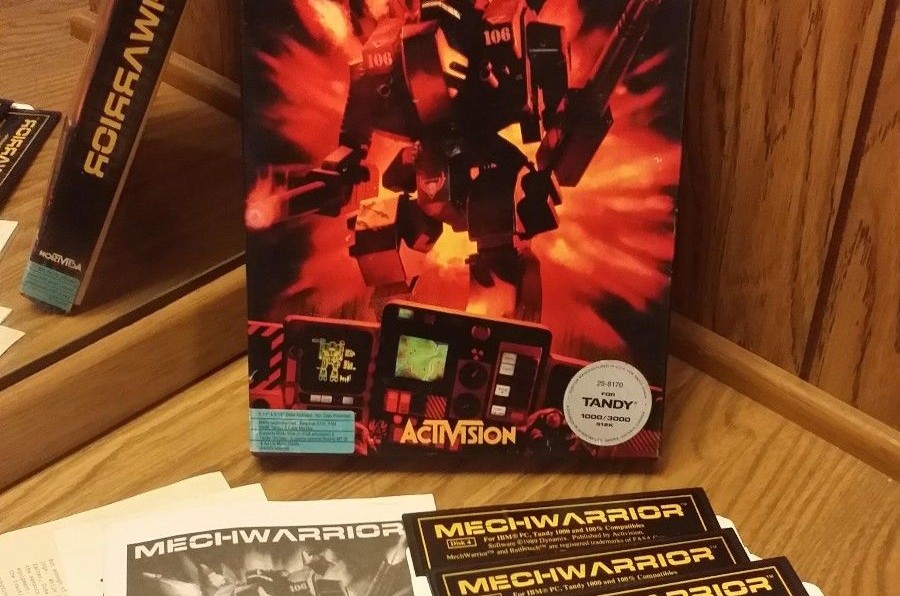
I found an Original MechWarrior game 1989. What would be a good resale
price.
I just did a quick completed listings search on ebay and one went for $50
just a few days ago. Another went for $87 at the beginning of June. Both
were on floppy disk and in excellent condition.
My name is Joshua and I’m seeking help in restoring a piece of my childhood (like many others who try to revive this old, trophy game)! I’m using the original Interstate ’76 CD.
What I’ve been able to do:
– I’ve able to install the game with ease onto my Windows XP.
– I’ve been able to load the game with relative ease
– I’ve been able to play with sound
– I’ve been able to bypass any “rainbow” like textures
– Blow up enemies
– Roam around for a sustained amount of time
However my problem lies here; my game crashes every time I:
– Crash into a wall
– Get shot at
– Jump off a cliff and explode
– Force explode
– (Pretty much anything that has to do with damage to myself)
The harder thing to do would be to not get shot at, but even with “God mode” enabled, my game still crashes (This is when I thought of my sound being an option so I tried to turn off my Hardware Accelerator but to no avail did it work)
Though my analysis may be below par to that of a tech savvy person, I think it may have to do with the graphics and frame rate – the game seems to be running well above 30 fps (the wheels of A.I’s jump about, and “Taurus can’t drive to save his life”) in fact, many of the AI seem to be driving at a very slow speed. My computer uses an AMD graphics card so “V-Sync” is out of the question. I tried your DATABASE code rewrite and was considering to update the patch, but your link is broken so I can’t do much about that.
For AMD cards, there’s the MSI Afterburner software that’ll let you control various graphics-related items. It’s been a while since I’ve had an ATI/AMD card, but I think framerate is an option that can be set. I’d try playing with that and see if it’s a framerate issue. That’s definitely the cause of the wonky tires and bad AI.
I can’t say for certain what’s causing the crash when you get hit. That may very well be related to the frame rate issues, although I haven’t heard of a correlation between the two.
Personally, I’ve had corrupted textures appear when objects explode in the game. That’s not quite as common as just taking a hit, though. Just thinking off the top of my head, I wonder if the problem is sound related. If you run the game without sound, does the crash still occur?
Sorry for not having a definitive answer, but maybe those will give you a couple of starting spots to work with.
Yes, the site will stay alive. I tend to revisit I ’76 every few years — that’s when the site gets its share of updates. Then it usually goes slightly dormant after that.
I’m not sure why they wouldn’t be working for you. Everything seems fine when I check it.
I’m sorry, I wrote that on my phone when I was really tired. It’s the Bullmark demo links that are messed up. Track 3 links to this:
http://www.localditch.com/interstate-76/music/bullmark/Bullmark-Track-3(missing extension)
and track 14 links to this:
… which is actually track 22.
No worries; thanks for finding my mistakes! I’ve got the link to Track 3 fixed, but I don’t have the file for “Ma… Something like this.”
I LOVE your site, being a fan of old games like Interstate ’76 and Deus Ex.
My question is about I ’76: When you turn on the weapon cam of a turreted weapon (key W), all you can see is a crosshair on green. Is there a “thingie” to actually see your target through this camera? Or at least enhance the color balance to get a silhouette of darker green of the car you’re shooting at?
I tried various combinations of colors and screen settings: no luck yet…
Glad you like the site! As far as I know, the weapons view in the radar is a bit of a hangover from the Mechwarrior 2 engine. My guess is that the Mech2 engine had that functionality and the I ’76 developers decided to throw it into the HUD.
If you want a “true” weapon view, you can press the F11 key, but to my knowledge, there’s no way to un-green the radar weapons view.
You state that the only server is on battlezone1.net This is not true, the anet server has been in operation continuously since 2002.
911 servers owned and operated by Eddy Wright (Wright Hobbies LLC) since 2002 for all your Activision Activenet games
The servers.dat is available on the forum, http://battlezoneclub.org
Great to hear that there are still a few more anet servers out there. I think at one point in time I used to have a link to the bz911 servers, but removed it when the .com site went down. It looks like the site has moved over to a .net address since I’ve been following it.
In Interstate ’76, the server connections work a bit differently than in BZ and some of the other Activision games. There is no servers.dat file. Instead, users have to manually input the server address. Just to verify, is 911.alink.bz911.net the correct address? I’ve updated the site to reflect that, but would like to confirm that it is indeed correct.